Online shopping can be expensive if you don’t know how to save. That’s where Capital One Shopping becomes useful, especially when you learn how to use Capital One Shopping coupons.
This tool automatically finds and applies discount codes to help you save more with ease.
What Is Capital One Shopping?
Capital One Shopping is a free browser extension and mobile app. It scans over 100,000 websites for active coupon codes and better prices.
You get instant savings when you shop online. There are no hidden fees.
You also earn rewards by shopping through eligible retailers. The extension is compatible with Chrome, Firefox, Edge, and Safari.
Mobile versions are available for iOS and Android. All users can use the service regardless of their bank.
Getting Started with Capital One Shopping
To start using the tool, you need to install the browser extension. This process is quick and takes less than a minute.
Capital One Shopping works silently in the background while you shop. You won’t have to do anything else once it’s installed.
For mobile users, the app is available on the App Store and Google Play. If you’re using Safari on iPhone, you’ll need to activate the extension.
Once it’s set up, it syncs across devices so your savings follow you everywhere.
Applying Coupon Codes Automatically
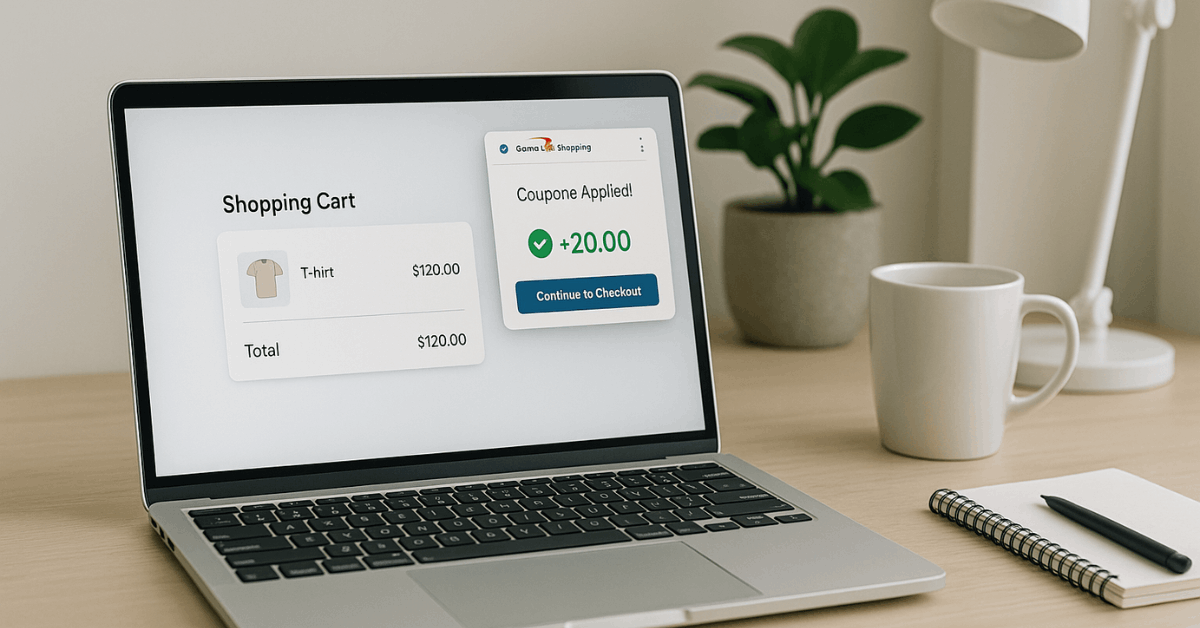
This feature is one of Capital One Shopping’s best. It automatically checks for coupon codes at checkout.
It tests which ones work and uses the best one available. You don’t have to search for codes or guess which one is valid.
The tool handles everything behind the scenes. It applies the discount before you pay.
You’ll save money and avoid wasting time typing random promo codes. This is perfect for busy shoppers.
Instant Price Comparisons
Another feature is its price comparison tool. While browsing, it scans other online retailers for the same product.
It includes shipping fees and membership pricing to show accurate results. If a better deal exists, it alerts you.
This works well on sites like Amazon. You’ll see a small pop-up showing the cheaper option with a link.
You can buy from the better-priced site right away. This ensures you don’t overpay.
Track Price Drops Over Time
Capital One Shopping also tracks prices over time. It keeps tabs on items you’ve viewed and notifies you when the price drops.
This means you can delay purchases and buy when the price is right. You’ll receive email or mobile alerts.
This feature is great for wishlist items. If you’re waiting for the right moment, Capital One Shopping will let you know.
It helps you stay informed without watching the site constantly. It saves time and money.
Earn Shopping Rewards for Gift Cards
Even when coupons aren’t available, you can earn rewards. Capital One Shopping offers Shopping Rewards at select retailers.
These rewards build up as credits in your account. Once you reach the minimum, you can redeem them for gift cards.
You can get cards from stores like Target, Sephora, Lowe’s, and more. This adds value to your purchases.
It’s especially useful if you shop often. Your everyday shopping can earn you future discounts.
Where You Can Use Capital One Shopping
This tool works with more than 100,000 online stores. That includes top names like Best Buy, Amazon, DoorDash, and Disney+.
It supports both big brands and smaller shops. The more you shop, the more opportunities you have to save.
Capital One Shopping also identifies which stores offer rewards. This helps you plan purchases to earn gift card credits.
The tool is flexible and adapts to your shopping habits. You benefit without changing how you shop.
Easy Steps to Use Capital One Shopping
The process is simple and requires no technical knowledge. You can follow three basic steps to begin. Capital One Shopping does the rest for you. Here’s how to use it:

1. Install the Extension
Add Capital One Shopping to your browser from the official store. It’s available on Chrome, Firefox, Edge, and Safari.
Installation takes less than a minute. Once added, it runs automatically.
2. Shop as Usual
Browse your favorite websites like Amazon or Macy’s. The extension stays active in the background.
It monitors your activity and scans for coupons or better prices. You won’t need to open or click anything.
3. Save Automatically
During checkout, it applies valid coupons if available. If there’s a lower price somewhere else, it tells you.
It also lets you earn Shopping Rewards on qualified purchases. You get more savings without effort.
Real Examples of Savings
Many shoppers save real money using Capital One Shopping. Here are some verified examples of discounts found through the extension. These show what’s possible when using it regularly.
- Best Buy: Save 15-50% on Google Nest and home security items.
- Amazon: $46 saved on an Apple Watch Series 3.
- Nike: 1.5% cashback on select items.
- Target: $13 off a lighting product with auto-applied coupon.
- Macy’s: 4% cashback added during checkout.
Each of these discounts is handled automatically. You don’t have to track them or activate anything. It all happens while you shop.
Why Millions Trust Capital One Shopping
Over 10 million users rely on this tool. It has thousands of 5-star reviews on the Chrome Web Store.
It’s trusted for its ease of use and effectiveness. Users save money without changing habits.
The tool is also secure. It doesn’t collect sensitive data or affect browser performance.
You can adjust privacy settings as needed. It’s a simple, safe, and smart tool for online shoppers.
Pro Tips to Maximize Your Savings
To get the most out of Capital One Shopping, follow these best practices. These tips ensure you use all features effectively.
They help you save more on each transaction. Stay consistent and you’ll see the difference.
Activate Notifications
Make sure you allow browser or app alerts. This is how you’ll get price drop updates.
It also reminds you of eligible Shopping Rewards. Alerts help you shop smarter and respond at the right time.
Combine with Cashback Cards
Use the tool with cashback or rewards credit cards. You’ll double your savings by earning card rewards and Shopping Rewards.
This is especially effective for large purchases. The benefits stack together.
Shop During Peak Sale Periods
The extension is great during Black Friday, Cyber Monday, or back-to-school sales.
During these times, coupons and discounts are more frequent. It will help you catch the best deals fast. You won’t miss out.
Check the Dashboard
Log into your Capital One Shopping account and review your dashboard. You’ll see how much you’ve saved.
You can also track your reward balance. This keeps you motivated to keep using it.
Final Thoughts: Stop Overpaying Online
Capital One Shopping takes the stress out of saving money. To learn how to use Capital One Shopping coupons, the process is straightforward and occurs automatically.
It finds and applies valid codes while you browse and helps you earn rewards effortlessly.